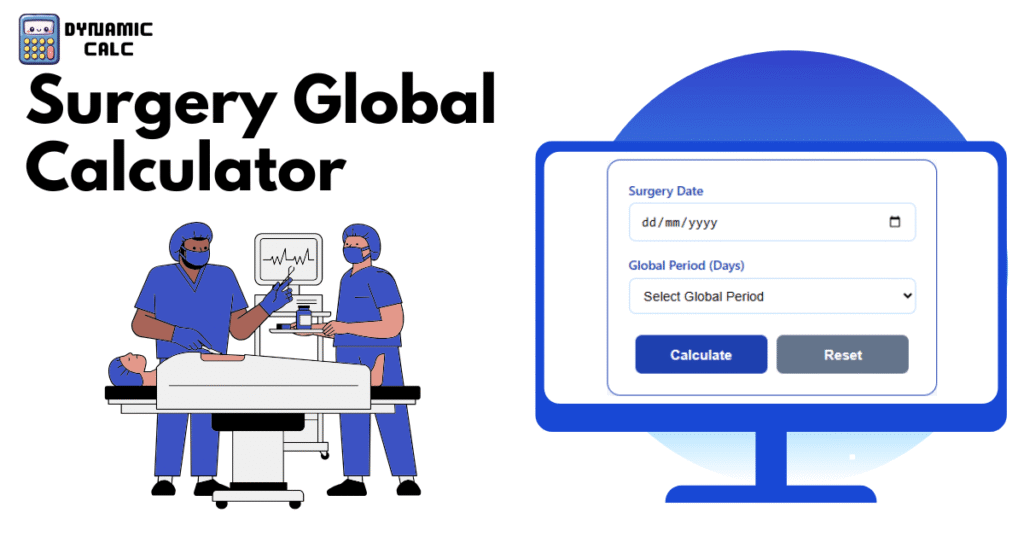
A Global Period Calculator is a healthcare billing tool that calculates the ending date of a surgical global period based on the procedure date and the assigned global days value. Global periods are standardized timeframes established for surgical procedures and include routine preoperative, intraoperative, and postoperative services.
Typically, surgical procedures are assigned one of three global periods:
- 0-day global period
- 10-day global period
- 90-day global period
The calculator automatically determines the final day included within the global surgical package. As a result, healthcare providers can accurately identify when separate reimbursement for additional services may become allowable under applicable billing rules.
Detailed Explanation of the Calculator’s Working
The Global Period Calculator operates using a straightforward date calculation process. First, the user enters the surgery date. Next, the user selects the applicable global period category, which is typically 0, 10, or 90 days.
After receiving these inputs, the calculator converts the surgery date into an internal serial date format. It then adds the appropriate number of global days to the surgery date. Finally, the system converts the resulting value back into a standard calendar date.
Importantly, the calculator counts all calendar days, including weekends, holidays, and non-business days. The calculated end date remains inclusive, meaning services performed on the final day are still considered part of the global surgical period. This automated approach minimizes manual errors and ensures consistency in billing workflows.
Formula with Variables Description
Formula
Global Period End Date Calculation
Let S = Surgery Date
Let G = Global days (0, 10 or 90)
For 0-day global period:
End Date = S
For 10-day global period:
End Date = S + 10 days
(The period includes the surgery day through the end of the 10th day after surgery)
For 90-day global period:
End Date = S + 90 days
(The period includes 1 day before surgery + surgery day + 90 days after surgery. The end date is the 90th day after surgery)
Detailed Date Arithmetic:
Convert S to serial date number.
Add G days to the serial number.
Convert the result back to calendar date.
End date is inclusive (services performed on the end date are still inside the global period).
All days including weekends and holidays are counted.
Variables Description
| Variable | Description |
|---|---|
| S | Date of surgery or procedure |
| G | Assigned global period duration in days |
| End Date | Final date included within the global period |
| Serial Date Number | Numerical representation of a calendar date used for calculations |
Common Global Period Reference Table
The following table helps users quickly determine approximate end dates without performing manual calculations repeatedly.
| Global Period Type | Coverage Period | End Date Calculation |
|---|---|---|
| 0-Day | Procedure day only | Same as surgery date |
| 10-Day | Surgery day + 10 postoperative days | Surgery date + 10 days |
| 90-Day | Pre-op day + surgery day + 90 postoperative days | Surgery date + 90 days |
Quick Day Addition Reference
| Days Added | Equivalent Duration |
|---|---|
| 10 Days | 1 Week + 3 Days |
| 30 Days | Approximately 1 Month |
| 60 Days | Approximately 2 Months |
| 90 Days | Approximately 3 Months |
| 120 Days | Approximately 4 Months |
Example
Assume a surgical procedure occurred on March 1, 2026.
Example 1: 0-Day Global Period
Surgery Date = March 1, 2026
End Date = March 1, 2026
The global period ends on the same day as the procedure.
Example 2: 10-Day Global Period
Surgery Date = March 1, 2026
End Date = March 11, 2026
Services performed through March 11 remain within the global period.
Example 3: 90-Day Global Period
Surgery Date = March 1, 2026
End Date = May 30, 2026
Routine postoperative services through May 30 remain part of the global surgical package.
Applications
Global Period Calculators serve several important functions within healthcare administration and medical billing.
Medical Billing Accuracy
Billing professionals use the calculator to determine whether postoperative services fall within the global package. Consequently, they can submit claims more accurately and reduce reimbursement issues.
Healthcare Compliance
Medical practices must follow established payer guidelines and regulatory requirements. The calculator helps organizations maintain compliance by ensuring consistent global period calculations and documentation.
Revenue Cycle Management
Accurate identification of global period end dates improves revenue cycle efficiency. Healthcare organizations can prevent underbilling, reduce claim denials, and optimize reimbursement processes through proper date management.
Most Common FAQs
What is a global period in medical billing?
A global period is a designated timeframe associated with a surgical procedure during which certain related services are considered part of the original surgical package. This period may include preoperative evaluation, the surgery itself, and routine postoperative care. Healthcare payers use global periods to determine whether additional services qualify for separate reimbursement. Understanding the applicable global period helps providers avoid billing errors and ensures compliance with established healthcare reimbursement guidelines.
Why is a Global Period Calculator important?
A Global Period Calculator reduces the risk of manual calculation errors and provides consistent results across healthcare organizations. Billing specialists often manage numerous procedures with different global periods. Therefore, automated calculations save time and improve accuracy. Additionally, precise end-date determination helps practices avoid claim denials, prevent compliance issues, and improve overall revenue cycle management. The calculator serves as a valuable tool for both large healthcare systems and independent medical practices.
Does the calculator count weekends and holidays?
Yes. Global period calculations include all calendar days regardless of weekends, holidays, or non-working days. The counting process follows standard healthcare billing guidelines rather than business-day calculations. As a result, Saturdays, Sundays, national holidays, and other non-business days remain part of the global period. Users should always calculate based on calendar days to ensure accurate determination of the final included date.